


Juneteenth is a powerful symbol and celebration of Black freedom and resilience, officially marking the end of chattel slavery for all African-Americans in the United States. President Abraham Lincoln issued the Emancipation Proclamation on January 1, 1863 following the Civil War, declaring all enslaved people in Confederate states legally free, but enforcement depended on the speed of Union troops delivering the message. In many parts of the South, slavery continued for over two years following the proclamation due to resistance to abolition. On June 19, 1865, Union General Gordon Granger arrived in Galveston, Texas and informed more than 250,000 enslaved people in Texas of their freedom.
During the Reconstruction period following the abolition of slavery, many formerly enslaved people in the South struggled to support themselves, relying on the military for assistance with food, medical care, and shelter, but also for protection from the repercussions of slave-owners. Many were able to reunite with family and loved ones using the Freedmen's Bureau, and began building their communities. The formerly enslaved were able to pick their own names, marry, and parent their own children. Immense focus was placed on education, with literacy jumping to 70% in 40 years, and leading to the formation of HBCUs (Historically Black College or University). Twenty-two Black Americans were elected into the federal government following the proclamation. Troops left the South in 1877, with violent backlash for Black Americans that eventually led to Jim Crow laws, segregation, and other atrocities.
Nevertheless, Juneteenth, or Freedom Day, celebrations emerged across Black communities as both jubilant and sacred festivities, often incorporating music and prayer. Many celebrations, past and present, include eating red foods, symbolizing sacrifice and choice, and commemorating traditional African dishes. Cook-outs, parties, and other gatherings reflect the tradition and significance of a family reunion.
Opal Lee, an activist, teacher, and counselor, worked tirelessly to make Juneteenth a recognized holiday for decades. In 2016, at the age of 89, she walked from Fort Worth, Texas to Washington D.C., symbolizing the journey of the Union troops. In 2021, it was officially recognized as a federal holiday, thanks to her persistent efforts.
Juneteenth has since become a day to honor the legacy of African American ancestors, to celebrate Black culture and achievement, and to reflect on the continued fight against systemic racism and anti-Blackness. It’s a day to recognize and cherish the ability to have agency over one’s body, actions, and decisions, and the ability to have ownership over one’s life and relationships — all in respect to what Black enslaved people had to endure for generations.
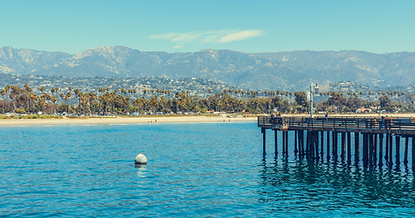
Santa Barbara’s Juneteenth takes place this Friday, June 19th from 11am - 6pm at Plaza Del Mar (131 Castillo St.)!
Juneteenth - Official Website
What is Juneteenth? - PBS
Opal’s Walk for Freedom - Annual Walk for Freedom
Juneteenth Reading List - National Museum of African-American History and Culture
Healing Justice SB - Local Organization Dedicated to Uplifting SB Black Voices
Wishing you all a Happy Juneteenth!
In liberation,


